Start anything from chat
Mission creation is now fully chat-first. Describe what you want in home chat — Ziti answers quick questions on the spot and guides bigger asks into a mission you can approve, edit, or run.
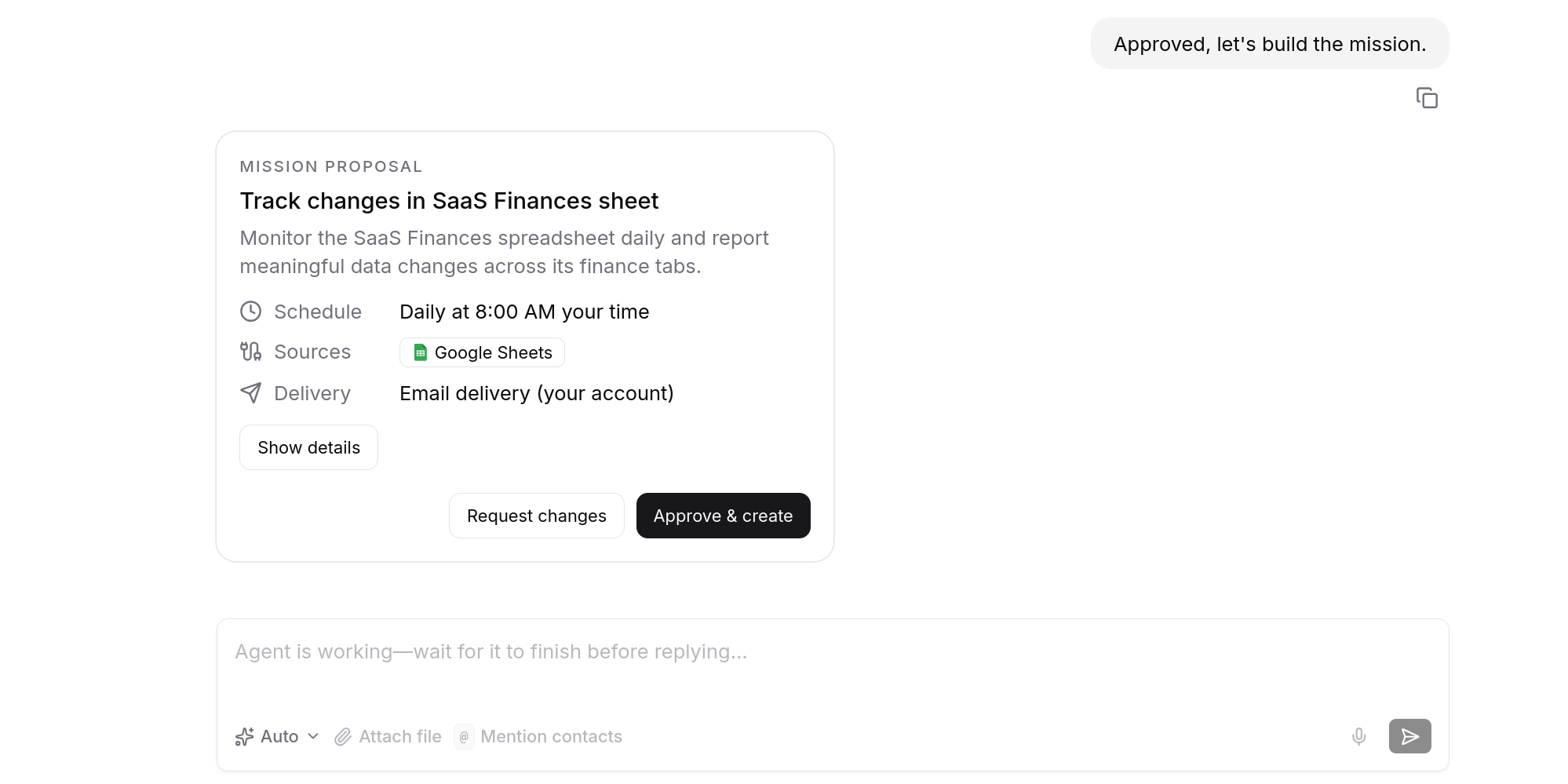
You no longer pick a flow before you start. Open home chat, say what you want, and Ziti chooses the path — a quick answer when that’s all you need, or a mission when the work should run once or on a schedule.
One chat, one mission or many
Describe a task and Ziti turns it into a mission card you can approve, adjust in a line, or run on the spot. A single chat can create one mission or several, and you can run multiple chats in parallel and switch between them without losing your place.
- Ziti routes each message to a quick answer or a mission, so you never have to guess which flow to use.
- If you had unfinished mission drafts, they moved into normal chats — continue from there instead of starting over.
Edit a mission from any chat
Mention a mission by name in any chat, or ask Ziti to find it, and edit it right there. Every edit saves as a new version, so you always have a clean history of what changed.
Choose how hard Ziti thinks
Pick the model per request: Fast for quick lookups and back-and-forth, Strong for heavy reasoning and planning, or Auto — the default — which chooses for you and steps up mid-task when the work gets harder.
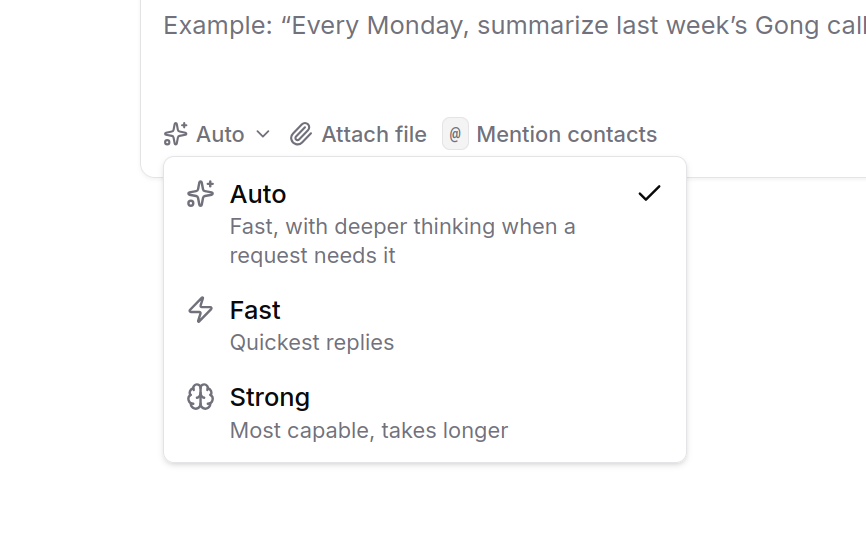
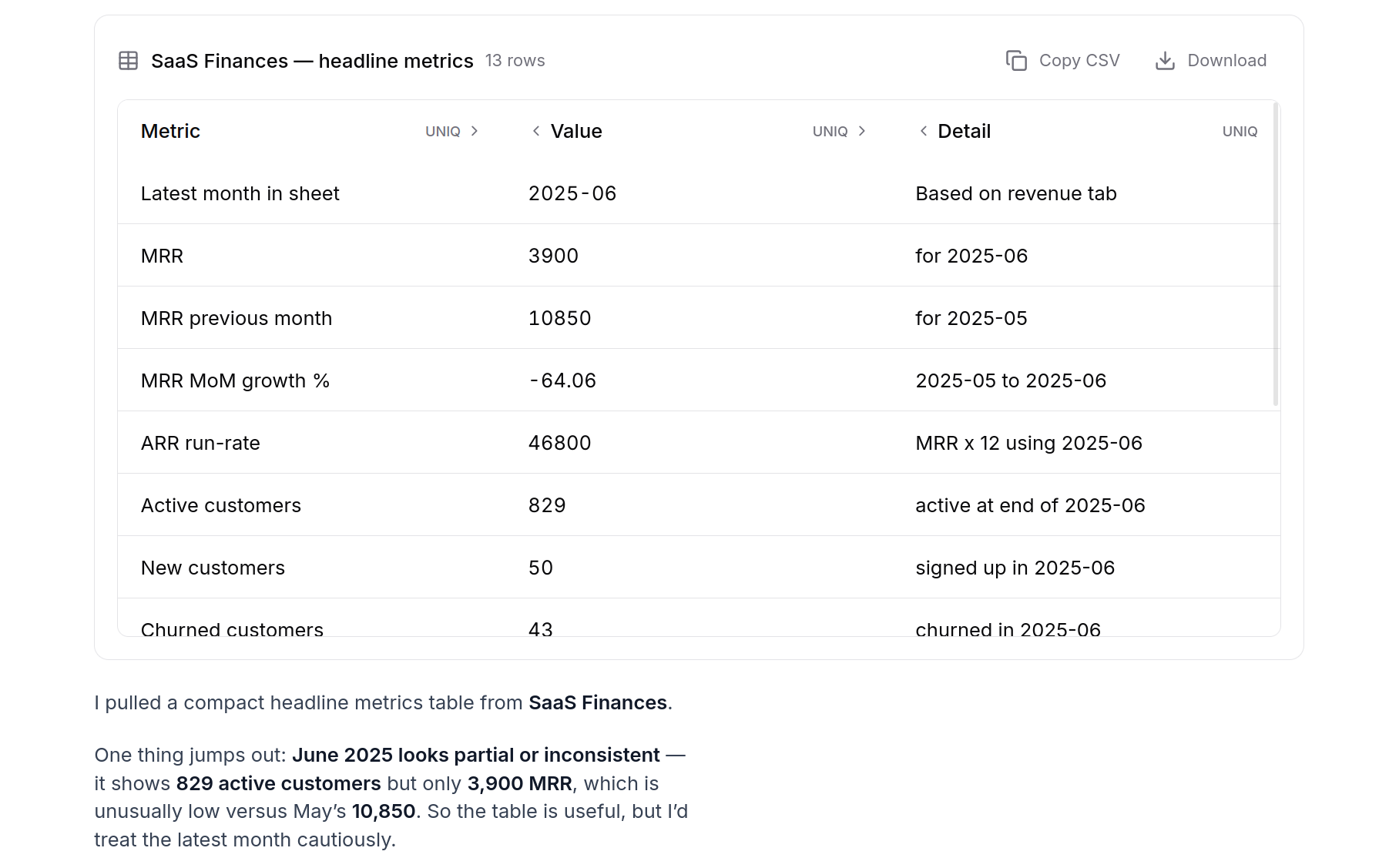
See your work as tables, in chat
Ask for a breakdown and Ziti renders it as a table right in the conversation, ready to copy or export to CSV. Charts and dashboards are next.
Long chats now show how much context you’ve used, so a deep session doesn’t quietly lose the thread.
Improvements
- Switch between parallel chats without losing your place in any of them.
- Templates open as an editable starting message instead of a separate flow.
- Chats name themselves, so your history stays easy to scan.
- Friendlier labels for what Ziti is doing, with cleaner rendering for data results.
Fixes
- An answer no longer occasionally repeats itself when a chat reconnects mid-stream.
- A failed proposal no longer leaves a spinner stuck on screen.
- Network hiccups show up inside the chat instead of interrupting it.
- Your chat recovers cleanly if your session expired in another tab.
- Connecting a tool only suggests a shared workspace account when one actually exists.